
How to Register Mobile Postpaid Line Under Company Name in Malaysia
In today’s competitive business world, managing expenses efficiently is crucial for any business. One often-overlooked cost is the mobile phone bills, especially for companies that are using personal postpaid mobile lines for business purposes. Registering your mobile postpaid line under your company name can help save costs, streamline your business communication, and simplify your billing.In this guide, we’ll walk you through the process of why it’s essential and how it can benefit your business.

Easier Expense Tracking
When you put your mobile plan under your company name, all your business phone bills stay in one place. It’s easier to see how much your business spends every month and to manage your money better.

Tax Deductions
n Malaysia, company expenses can help reduce your tax. If your phone line is under your company name, your phone bills can be counted as business expenses. That means you’ll pay less tax and save more money.
Corporate number
Using a company-registered phone number makes your business look more trusted and professional. Customers and partners will feel more confident when they see your number belongs to a real company, not just a personal line.

One Bill, Less Hassle
If you have many lines for work, things can get messy. When everything is under your company name, you get one simple bill each month. Easier to manage, easier to pay, and no more confusion.
SMEs & Corporate Dedicated Support
As an official business partner of U Mobile Business, we are always ready to serve and assist businesses in reducing both time and cost.
We Handle Everything — Just Share Your Company Details and Document Need, We’ll Do the Rest
Registering your company mobile plan doesn’t have to be complicated. You just prepare your company info — like business type (Sdn Bhd, Enterprise, Sole Proprietor, Partnership, or Non-Profit) — and we’ll handle the rest. Everything is done online via phone, WhatsApp, or email. Done within 5–7 working days, easy and smooth.
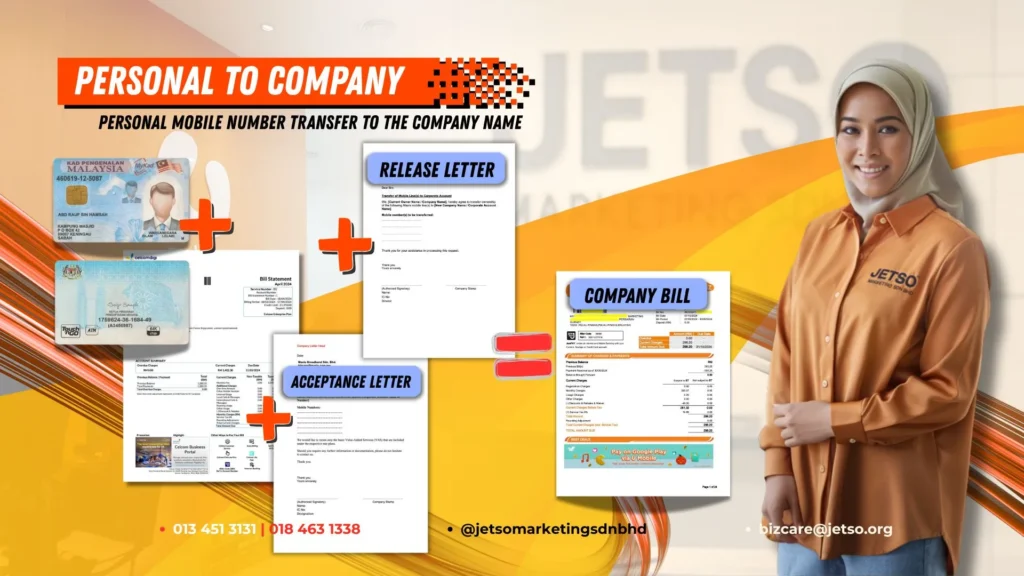
Changing from Personal Name to Company Name
Even if your company is new (Just Setup), you can still register your phone number under your company name. It just takes a bit longer — about 5-7 working days for approval — because the telco will check your company’s credit status.
the process is very simple, you just need to prepare three things:
✅ Director IC/Passport (identity card),
✅ Latest phone bill (if port in)
✅ SSM company registration document.
Once you give us these, we can help you transfer your number from your personal name to your company name.
But don’t worry, we’ll prepare all the forms and help you get it approved. You only need to sign and chop, that’s all.
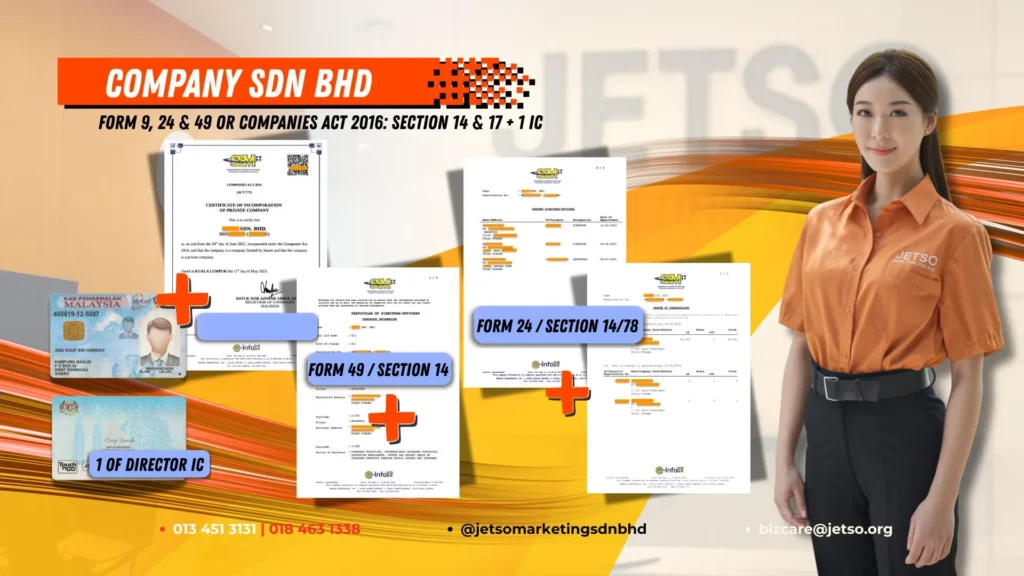
Documents Required for Sdn Bhd Registration:
1️⃣ Form 9/13, Form 24 & Form 49 (Companies Act 1965)
or Section 14 & 17 (Companies Act 2016)
2️⃣ Copy of one Director’s IC
3️⃣ Delivery Address
4️⃣ Mobile Contact Number
5️⃣ Email Address
6️⃣ Company TIN Number (for e-invoicing)
7️⃣ Site Visit Signage Photo
Please ensure all documents are clear and complete for faster approval.
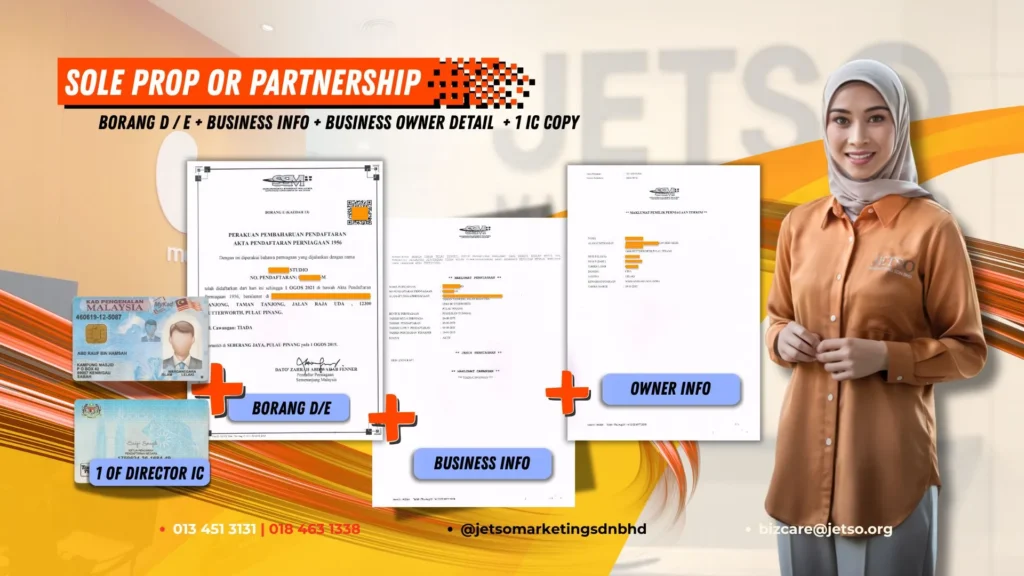
Documents Required for Sole Proprietorship or Partnership Registration:
1️⃣ SSM Certificate (Form D / E)
2️⃣ Copy of one Director’s IC
3️⃣ Delivery Address
4️⃣ Mobile Contact Number
5️⃣ Email Address
6️⃣ Company TIN Number (for e-invoicing)
7️⃣ Site Visit Signage Photo
✅ Once all documents are complete, our team will proceed with your registration immediately.
Simple, fast, and fully handled online — no need to visit the service centre!
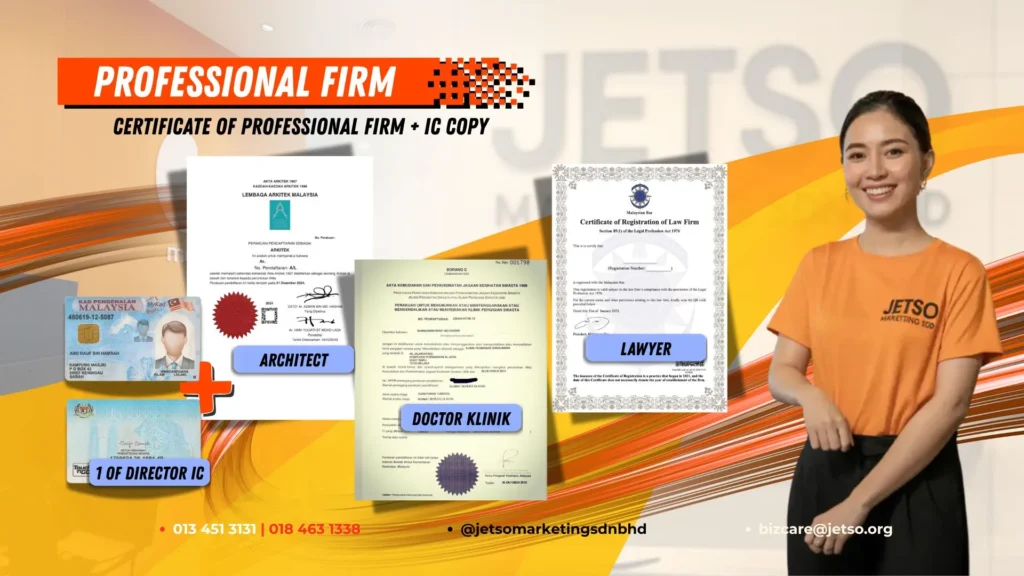
Documents Required for Professional Firm Registration:
1️⃣ Certificate of Professional Firm
2️⃣ Copy of Firm Owner’s IC
3️⃣ Delivery Address
4️⃣ Mobile Contact Number
5️⃣ Email Address
6️⃣ Company TIN Number (for e-invoicing)
7️⃣ Site Visit Signage Photo
✅ Once all documents are received, our team will verify and process your registration within 5–7 working days.
Fast approval, smooth process — all done online without visiting the service centre!
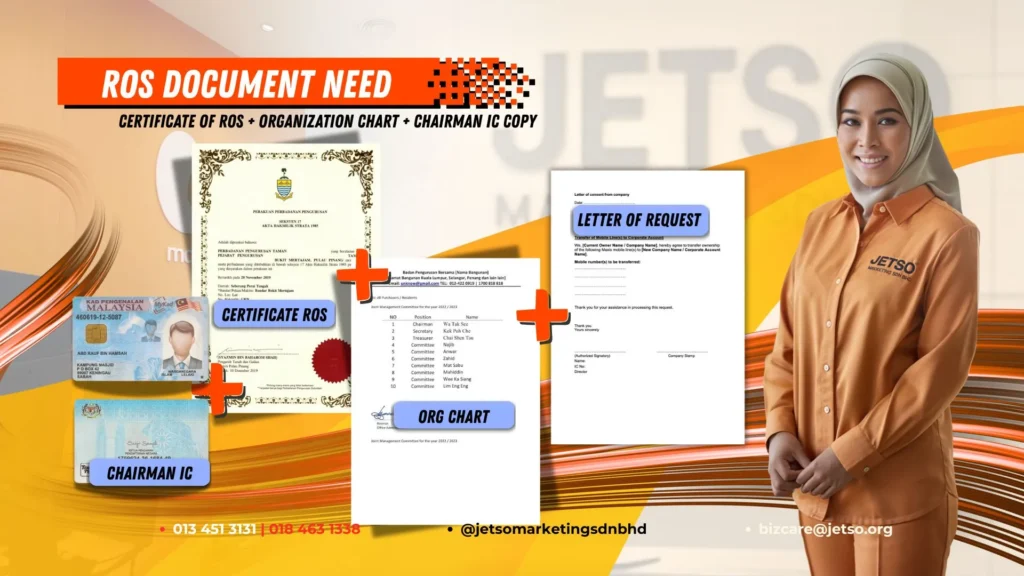
Documents Required for Registry of Societies (ROS) Registration
1️⃣ Certificate of ROS
2️⃣ Organization chart
3️⃣ Chairman IC Copy
4️⃣ Letter of Request
5️⃣ Delivery Address:
6️⃣ Mobile Contact:
7️⃣ Email:
8️⃣ Company TIN number: (for e-invoicing purposes)
9️⃣ Site Visit Signage Photo
✅ Please ensure all documents are clear and complete for faster approval.
Change Name, Change Telco — All Online, All Easy!
You don’t need to run around searching for answers anymore. Whether you want to transfer from Maxis, CelcomDigi, YES YTL or Unifi to U Mobile, or change your number from company to personal name, we can handle it for you — simple, fast, and fully online.
💬 Leave a comment below, and we’ll help you get started immediately!
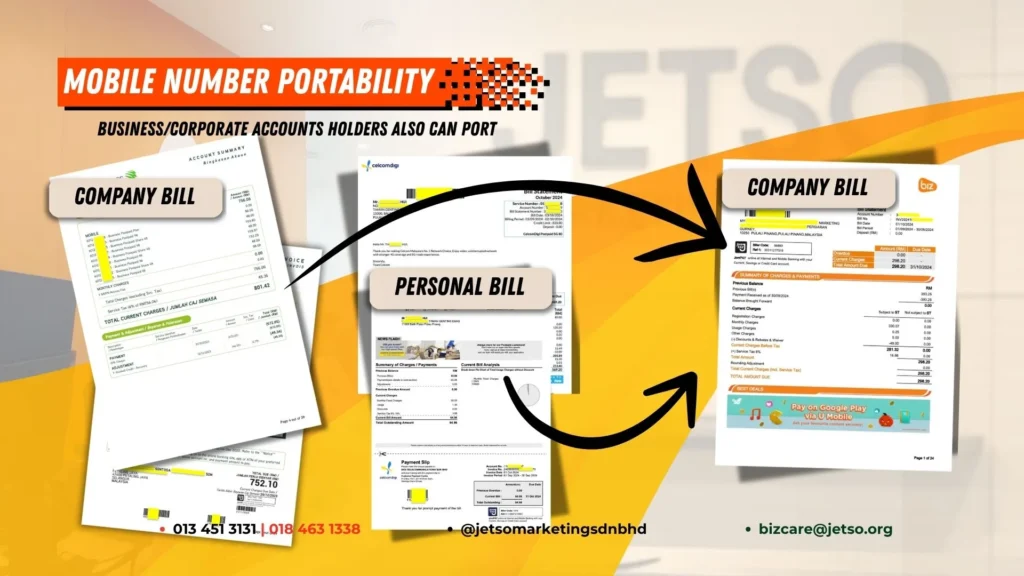
Mobile Number Portability (MNP) Switch to U Mobile Business
We often meet many clients who want to transfer their mobile numbers from another telco (Maxis, CelcomDigi, Unifi, YES YTL) to U Mobile Business. So just let our team handle everything for you.
What we need from you is your current company phone bill — send it to us, and we’ll review it for you.
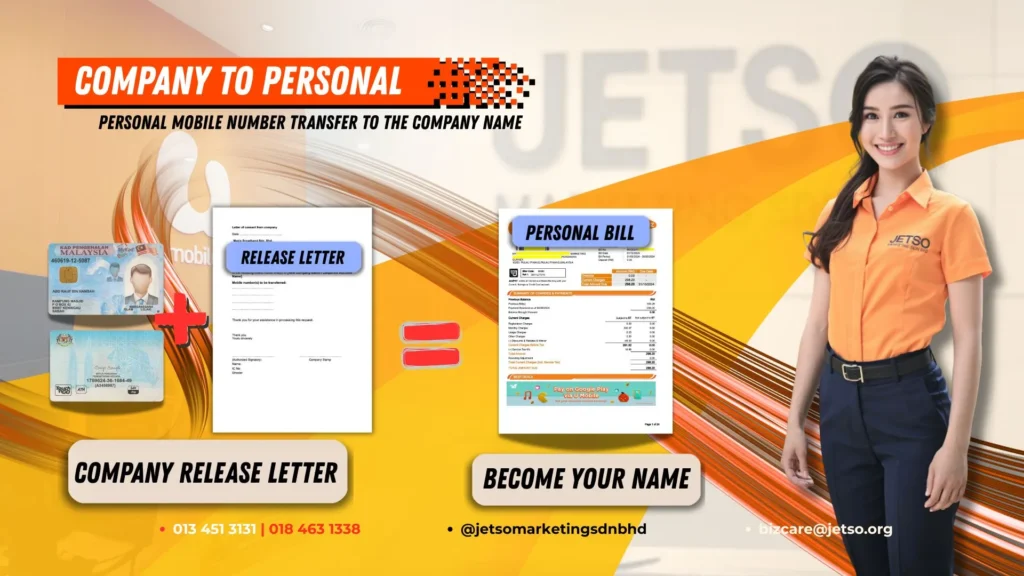
Transfer company mobile number to personal online:
If your mobile number is currently registered under a company name and you now wish to transfer it back to your personal name, don’t worry — we can help you do that easily.
No matter which telco your number was originally from, we can help you transfer ownership from company name to personal name. You just need to prepare the required documents, and our team will handle everything for you quickly and smoothly.
Proof of Business Operation No Signboard? No Problem! Here’s How to Show Your Business is Active
We understand that not every company has a physical signboard — some operate from home or shared offices. That’s completely fine. You can simply provide a few photos showing your working area, equipment, or products to verify that your business is active. Even without a signboard, your application can still be approved.

Signage Photo: If you have a company signboard:
Just take a photo of your company’s signboard and send it to us. Then, also take a few photos inside your office — like the tables, workstations, and so on. That’s all you need to do; it’s that simple.
Even if you’ve just moved in and the signboard isn’t your company’s yet, it’s okay — you can still show that signboard to us.
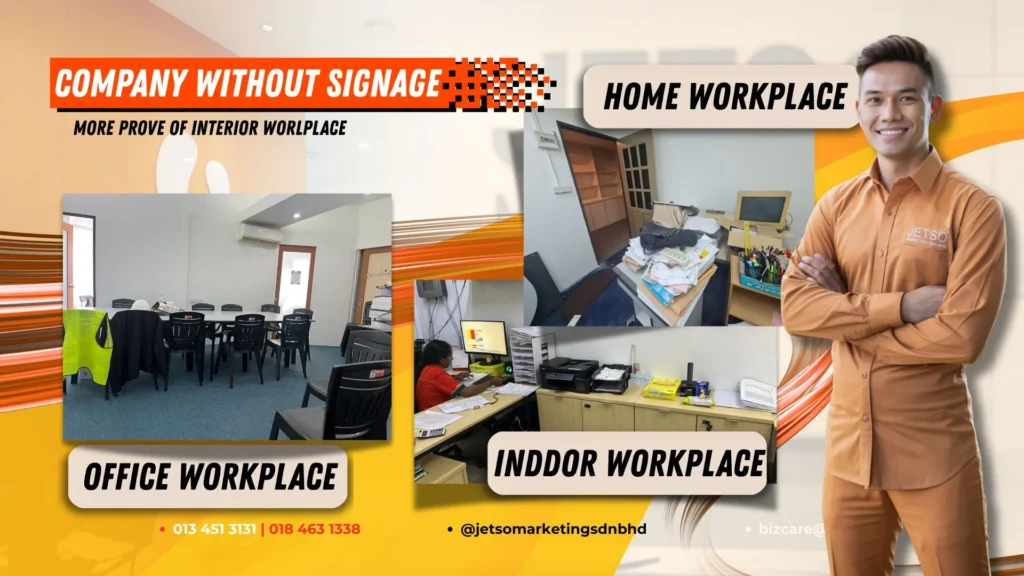
Without company’s signboard photo:
These are some companies without a company signboard. So what should you do in this case?
It’s simple — just take a few photos from your office or working area that show your business is actively operating. For example, photos of your workspace, desk, files, or documents that prove daily business activity. Once we receive them, we’ll help you prepare a short business justification letter to show that your company is actively operating.
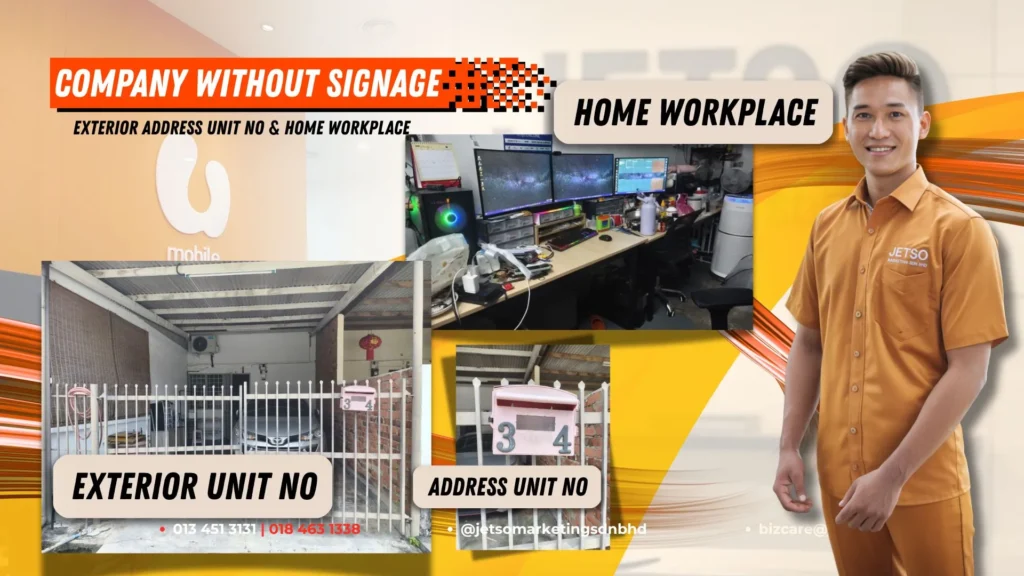
Home Office Without Company’s Signboard Photo:
Most small businesses don’t have a company signboard, so what should you take photos of?
Just take a few clear pictures showing:
📌 Your house or office address (door number or building entrance)
📌 One photo of the outside of your workspace
📌 One photo inside your working area
📌 A few photos of your working desk or setup, showing where you usually do your work
Even if you’re working from home, that’s okay — as long as we can see your workspace, it’s enough to show that your business is real and active.

Another Example Office Without Company’s Signboard Photo:
the company didn’t have a signboard because they had just moved into a new place and hadn’t set everything up yet.
So, they simply took a few photos for us: one showing the company address or entrance, one photo outside, and one photo inside the workspace. With these photos, we were able to help them complete their application easily. The most important thing is to show proof that your company is active and operating — that’s all we need to help you get approved smoothly.
Contact Us
Dedicated customer service support
Submit the form and our JETSO dedicated support team will get back to you as soon as possible. We’re always happy to assist.